
Mitsukeru
Chrome extension
Read any page like a designer.
Nine free tools for color, type, spacing and contrast. Pro adds palettes and exports for $15, once.
No account · no tracking · open it anytime with Alt+Shift+M
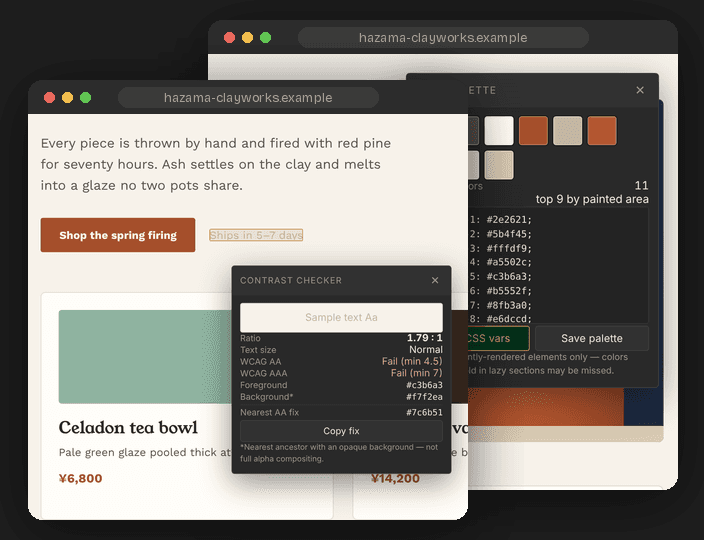
Contrast checker
Catch contrast failures in a click.
Click any text for its WCAG AA and AAA result against the colors actually behind it, plus the nearest color that passes.
Free · unlimited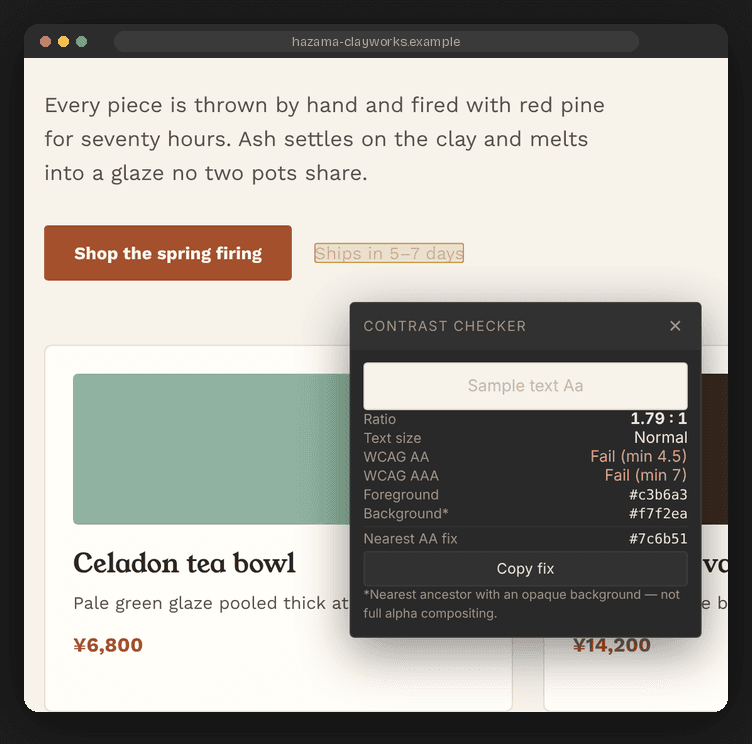
Color picker
Pick any color on any page.
A native eyedropper, then HEX, RGB and HSL with a matching palette, ready to copy as CSS variables.
Free · unlimited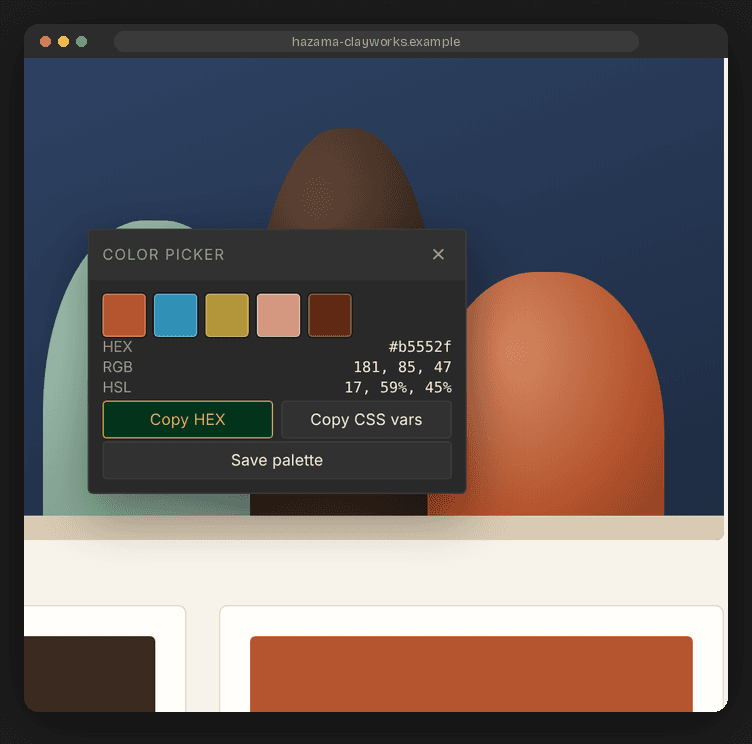
Typography
Know any font in one click.
Family, weight, size, line height and letter spacing for any text, with the CSS ready to copy.
Free · unlimited
Box inspector
See margin and padding without DevTools.
Hover any element to see its exact size, margin and padding drawn right on the page.
Free · unlimited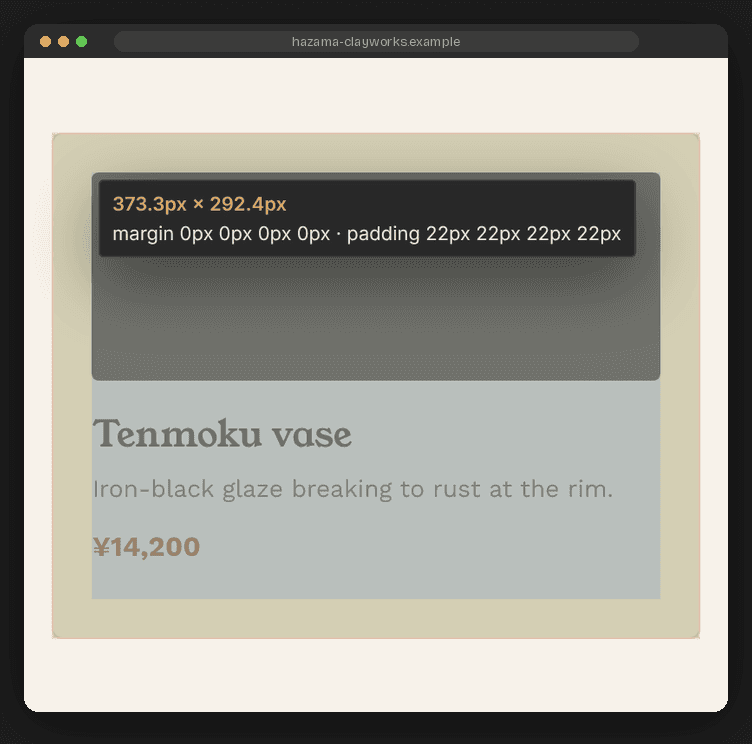
Page palette
Pull a whole site's palette.
Every color ranked by how much of the page it covers. Export as CSS, SCSS, Tailwind or JSON.
Pro · $15 once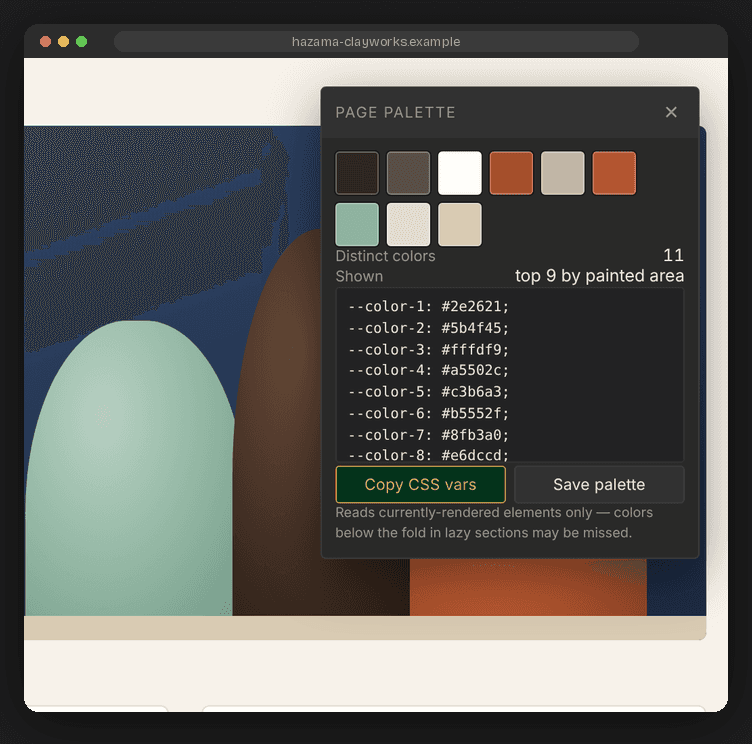
Free, unlimited
Nine tools. No limits. No account.
The free version has no daily limits and no trial period. You can keep using it as long as you like.

Color Picker
A native eyedropper for any pixel, with HEX, RGB and HSL and a matching palette.

Typography
Family, weight, size, line height and letter spacing, with the CSS ready to copy.

Contrast
WCAG AA and AAA against the colors actually behind the text, plus the nearest color that passes.

Color Blindness
See the page with protanopia, deuteranopia, tritanopia or achromatopsia.

Box Inspector
Hover any element to see its size, margin and padding drawn on the page.

Ruler
Measure the distance between any two points, with a grid overlay.

Gradient & Shadow
Copy backgrounds, gradients, shadows, radius and filters as CSS.

Selector Finder
The shortest CSS selector that matches an element, with its specificity.

Dark Mode Preview
Turn on a site's own dark mode without changing your system settings.
Pro — one-time $15
No subscription. Pay once.
Pro adds the tools that pull things out of a page. Pay once and keep it, with no renewals.
- —Unlimited saved palettes (free keeps 5)
- —Export to CSS variables, SCSS, Tailwind config or JSON
- —Share codes: send a palette to a teammate as one line of text
- —Two-color contrast comparator for any pair you choose
- —One license covers up to three browsers

Page Palette
Every color on a page, ranked by how much of the page it covers.

Component Extractor
Copy an element's markup and computed CSS.

Asset Harvester
Save a page's images and SVGs to one folder, after you confirm.

Element Screenshot
Save any single element as a cropped PNG.
Privacy, briefly
No account, no analytics, no tracking. Mitsukeru only runs on a tab when you click its icon, and nothing it reads is sent anywhere. Its only network request is checking a Pro license key, and only if you buy Pro.
Read the full privacy policy →